A successful dashboard status is not the same as a verified release. The deployment is complete only when the public URL serves the expected commit, headers, redirects, and canonical origin.
The implementation boundary
Use a deterministic build command, publish the dist directory, keep explicit redirects before fallback rules, and inspect preview deployments before promoting a material content change.
For Deploy and Verify an Astro Site on Cloudflare Pages, the useful boundary is the smallest complete result that the repository can demonstrate. Supporting details stay in this guide when separating them would create a weaker URL, and claims stop where the saved output stops.
Reproducible example
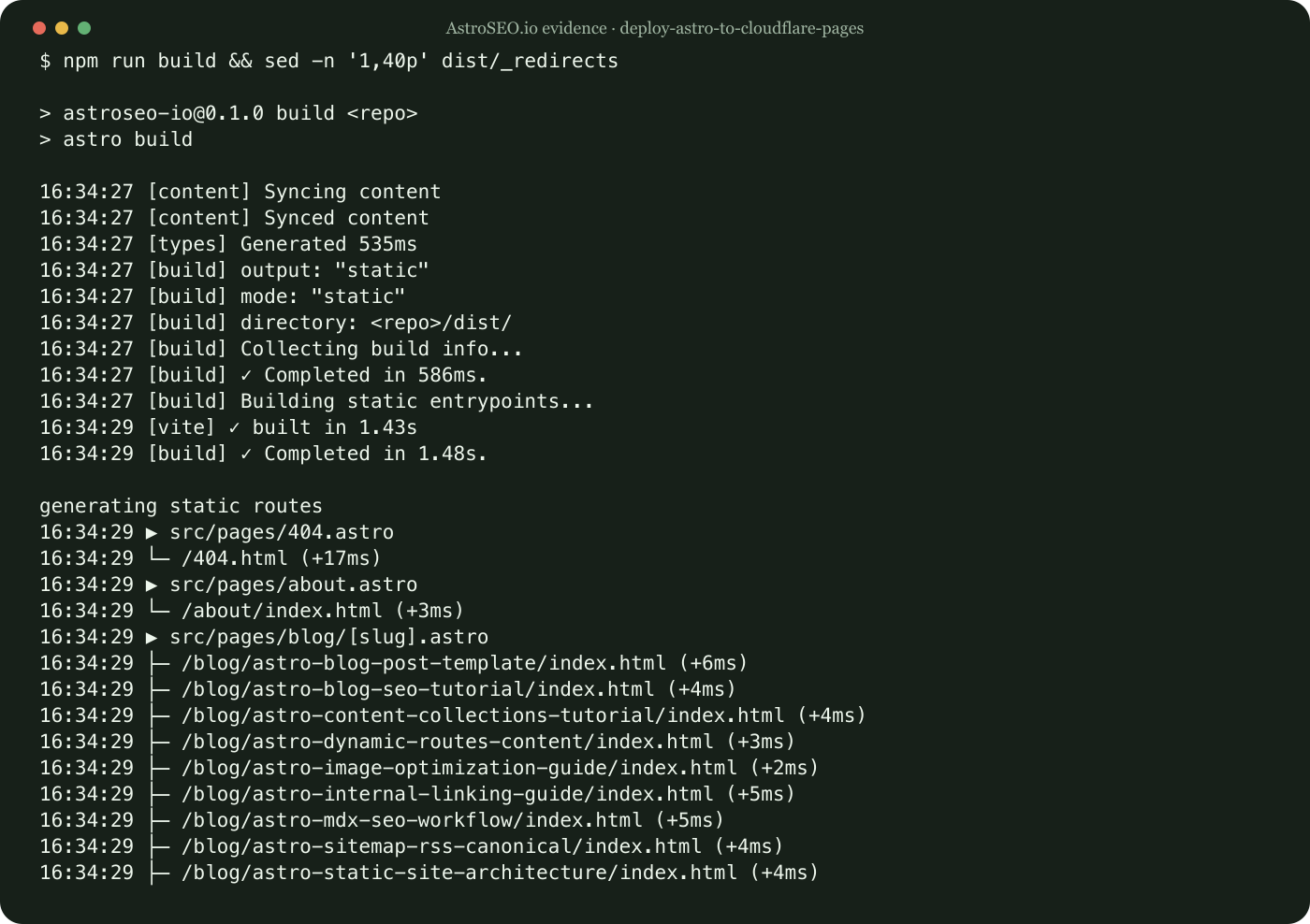
Run the following command from the repository root with the supported Node runtime:
npm run build && sed -n '1,40p' dist/_redirectsThe evidence directory for deploy-astro-to-cloudflare-pages stores this exact command and its result beside the image. An editor can therefore rerun npm after a dependency, route, or hosting change and compare like with like.
What happened in this site
This site’s build copies the 28 redirect rules into dist. The release check compares those rules with the consolidation map before any sitemap is resubmitted.
The deploy-astro-to-cloudflare-pages case records what happened in AstroSEO.io rather than presenting one repository as a universal benchmark. Apply this deployment check to your own URL model and compare the observed output before adopting the recommendation.
A reliable working sequence
- Define what a successful Deploy and Verify an Astro Site on Cloudflare Pages result should contain.
- Run
npm run buildagainst the current production build. - Save only the output relevant to deploy-astro-to-cloudflare-pages and redact private account data.
- Compare the observed deployment artifact with the intended inventory.
- Make one focused correction, rebuild, and repeat this deploy-astro-to-cloudflare-pages check.
Using the same deploy-astro-to-cloudflare-pages measurement before and after a change separates diagnosis from guesswork and leaves a defensible rollback point.
Verification
Repeat the displayed command for Deploy and Verify an Astro Site on Cloudflare Pages, confirm its exit status, and compare the current output with the saved result. Open the generated route afterward and inspect its canonical URL, contextual links, evidence image, and narrow-screen layout. For this topic, a green build is not sufficient when the inspected artifact is wrong.
Continue with the next implementation guide and the related verification guide and the deployment guide.
Limitations and recommendation
Cache immutable hashed assets aggressively, but be conservative with HTML while editorial corrections are frequent. A stale article is more damaging than a small reduction in edge requests.
For deploy-astro-to-cloudflare-pages, automate the objective check shown above and keep the final usefulness decision with an editor. Static generation makes this deployment output inspectable, but it cannot decide whether the explanation is distinct enough to deserve its URL.